Can I redeem codes on mobile?
When codes ship, redemption should work in the Roblox mobile app — see redeem guide.
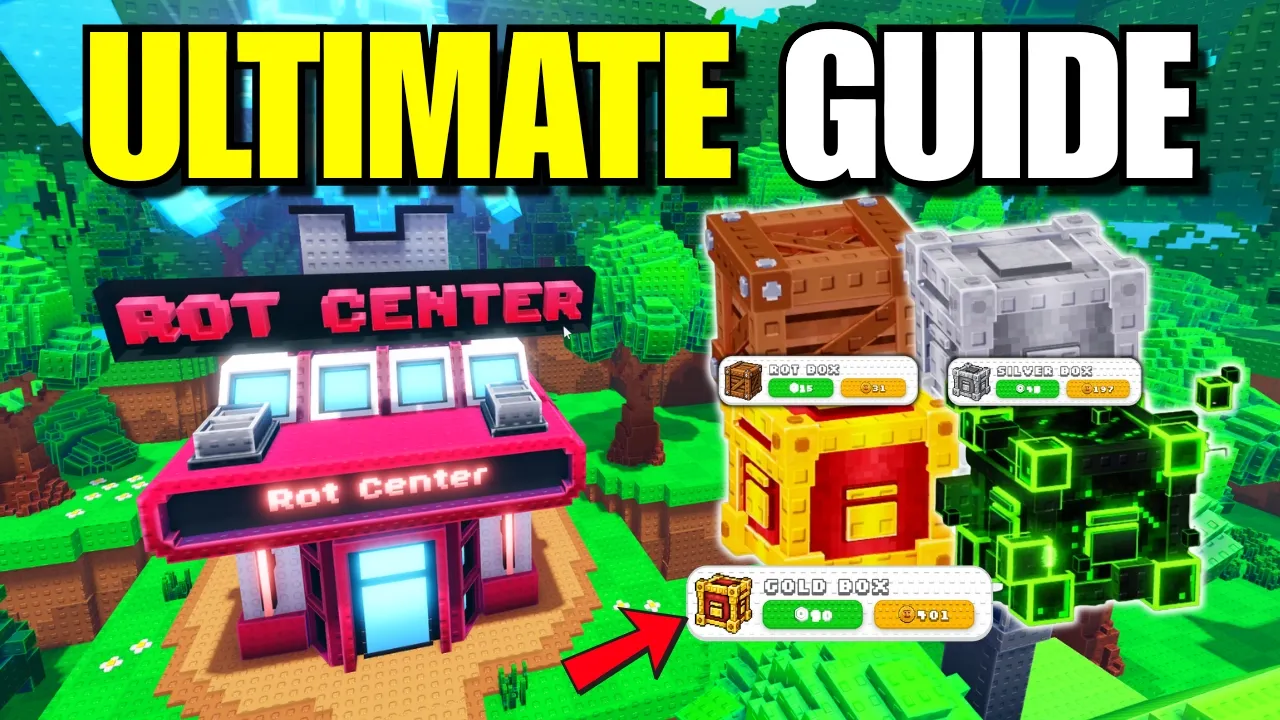
Catch a Brainrot mobile guide covering touch HUD layout, catch flow on phone, Charge taps, performance tips and when redeem codes become available.
Follow Catch a Brainrot mobile HUD layout for catching on phone.
Catch a Brainrot mobile runs through the Roblox app on iOS and Android. Pokémon-like creature collecting RPG with Brainrots on Roblox
Touch movement uses the virtual joystick; Charge skills and capture box throws use on-screen battle buttons sized for thumbs.
The full game loop — World One exploration, Brain Index registration, Tong coin passives — matches PC. Only input method changes.
Mobile is fully supported at launch — same Place ID, same Brain Rot Center hub, same golden box shop unlocks.
Expect Roblox default touch controls plus game-specific battle and inventory buttons during wild encounters.
Pair with controls for keyboard equivalents on PC.
| Element | Tag | Notes |
|---|---|---|
| Joystick | 🕹️ | Move character in World One |
| Jump | ⬆️ | Roblox jump button |
| Interact | 🤝 | Tap prompts for shop and chests |
| Charge bar | ⚡ | Build before skill buttons activate |
| Skills | 💥 | Firework · Whirlpool · Splash · Shield |
| Capture box | 📦 | Throw after weaken phase |
Mobile battles in Catch a Brainrot follow the same Charge rules as PC: tap basic actions to fill the bar, then tap a skill.
Mis-taps cause wasted turns — zoom UI if your device supports pinch-to-zoom in Roblox settings.
Use Shield on touch if you struggle with timing; Boneca Ambalabu starters forgive extra hits while learning controls.
The catch loop matches PC: build Charge, weaken with skills, tap your equipped capture box when the prompt appears.
Stock golden boxes before hunting Rare blue-glow species — failed throws are costly on small screens where mis-taps happen.
See how to catch Brainrots for Rock Box vs L9/L15/L22 golden box caps.
Teleport to the Brain Rot Center from the map menu instead of walking back through routes — saves battery and time.
Read the bottom-left spawn table before grinding; mobile players benefit from knowing rarity glow colors before entering battles.
Join Discord on the same phone for code alerts, but never share Roblox credentials in mobile browsers.
When codes ship, redemption should work inside the Roblox app — see redeem guide.
Lower Roblox graphics quality in app settings if Charge battle UI stutters during Epic hunts. World One is smaller than late-game zones but still spikes on older phones.
Use landscape orientation if your device supports it — wider HUD reduces mis-taps on capture box buttons.
Keep the wiki open in split-screen for spawn table reference instead of alt-tabbing, which can disconnect Roblox mobile sessions.
Wi-Fi is more stable than cellular for long Index grinding sessions in Catch a Brainrot.
Before a hunt session: heal at Brain Rot Center, equip two golden boxes, read bottom-left spawn table, confirm Charge skills are not on cooldown.
During battle: build Charge before tapping skills — gray buttons mean you tapped too early.
After catch: register Brain Index entry, compare tier on Brainrot tier list, sell duplicate Commons for Tong coins.
Between sessions: check updates and Discord for hotfix notes that may change box prices or Charge values.
Enable Roblox native touch sensitivity settings if Charge taps feel sluggish — hardware varies more than Catch a Brainrot balance during Launch Week.
Portrait mode works but landscape reduces mis-taps on capture box buttons during long World One sessions.
Charge tutorial battles are worth repeating on mobile — muscle memory matters more than on PC keyboard.
Stock two golden boxes before leaving Brain Rot Center on phone — inventory mis-taps are the top cause of failed Rare catches in Catch a Brainrot.
Use both thumbs: left for movement, right for skill and box buttons during battles.
Zoom Roblox UI scale down one notch if Charge bar is clipped on small phones.
Fatigue mis-taps increase after long Index grinds — take breaks before Epic box hunts.
Pair with controls keyboard map when playing on a tablet with external keyboard.
Mobile players earn the same Tong coin passives as PC — input method does not change party income in Catch a Brainrot.
Use Brainrot search on mobile browser while hunting to filter missing Index species.
Keep phone brightness high outdoors — green and blue rarity glows are easier to spot on a clear screen.
Join Discord on mobile for code alerts — same account works across Roblox app and browser wiki.
When codes ship, redemption should work in the Roblox mobile app — see redeem guide.
Same game — touch replaces keyboard/mouse. HUD layout may differ slightly.
Boneca Ambalabu — Shield helps touch players survive World One. See best starter.
Same odds as PC — practice Charge timing and carry extra golden boxes for mis-taps.
Yes — bottom-left in World One zones, same as PC in Catch a Brainrot.
Matched by build plan, shared topics, and guide progression — not random related links.